Work / PalEat Manager
Products
The order screen behind the counter, and a point of sale in the same box.
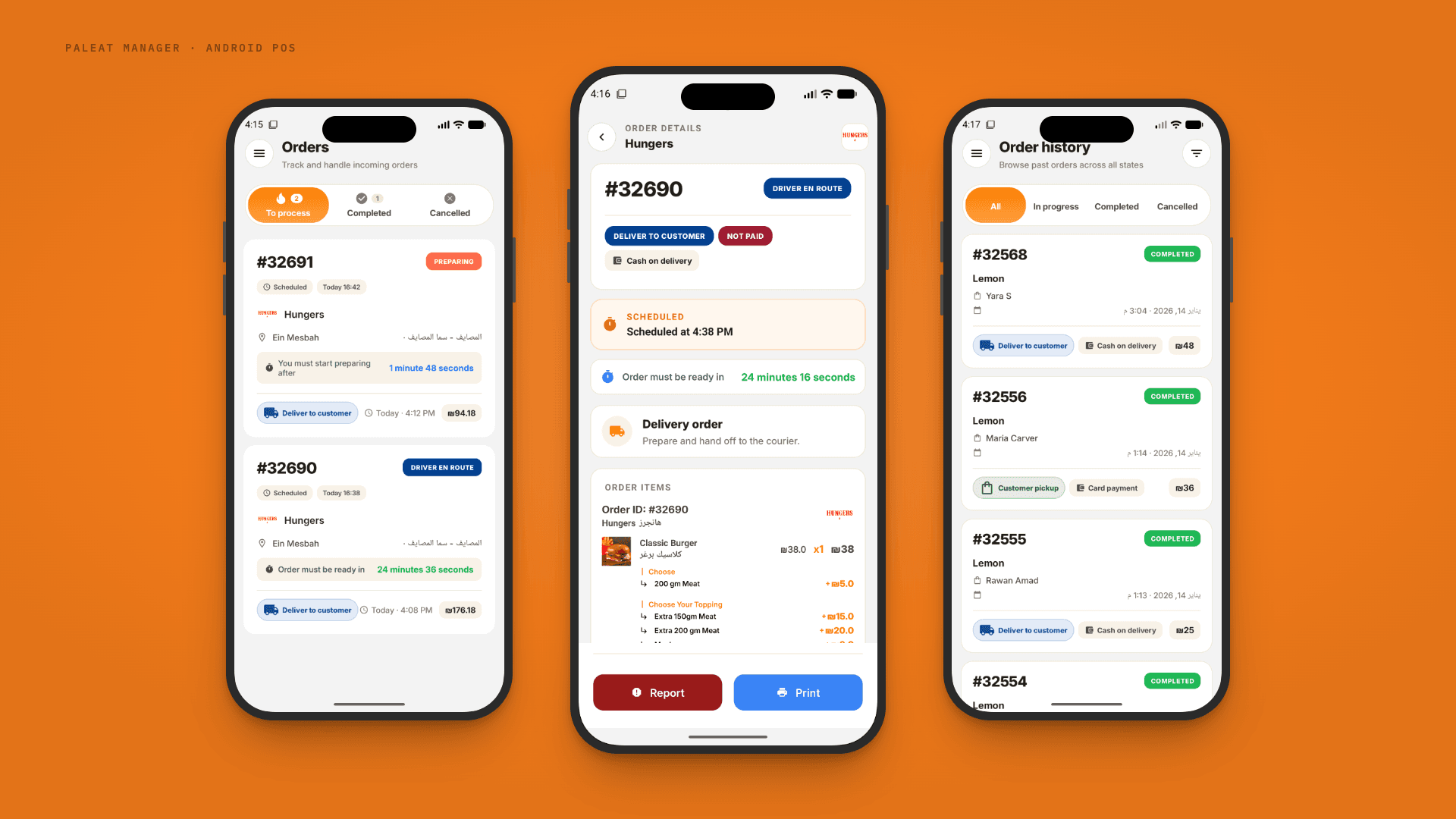
The app restaurants and shops keep by the till. A new PalEat order arrives as a loud full-screen alarm that wakes the device, staff accept it and set a preparation time, and the ticket prints on the receipt printer. It runs on Android phones, tablets and POS terminals with a built-in printer, so the same device is the order screen and the point of sale. It installs from a link and updates itself, so partners never touch an app store.
- Client
- PalEat (our own product)
- Industry
- Food delivery
- Services
- Mobile apps · Custom software & integrations
- Platforms
- Android phones, tablets and POS terminals
- Year
- 2025 to now
- Where
- Palestine

PalEat Manager
Restaurant app · Android POS
- Available on
- Direct install, self-updating
Screens
Results
- Vendors on it
- 1,000+
- Alert to ticket
- seconds
- App store needed
- none
What it does
What it does, feature by feature
An alarm you cannot miss
A new order takes over the screen with a loud, looping sound, even when the device is locked, and keeps ringing until someone answers.
Accept in one tap, with a time
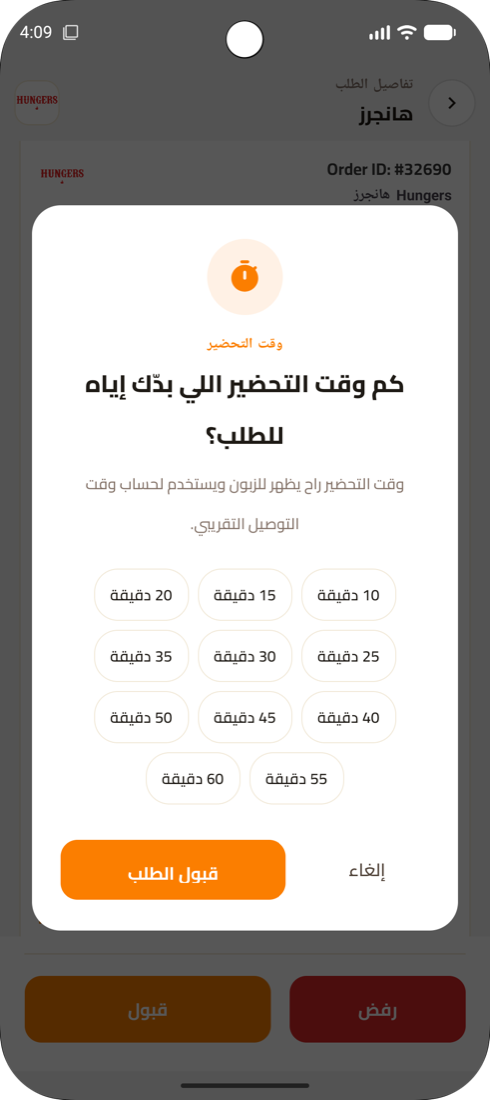
Accept or reject with a reason, then pick a preparation time from ten to ninety-five minutes. The customer and the rider see it at once.
Prints the ticket itself
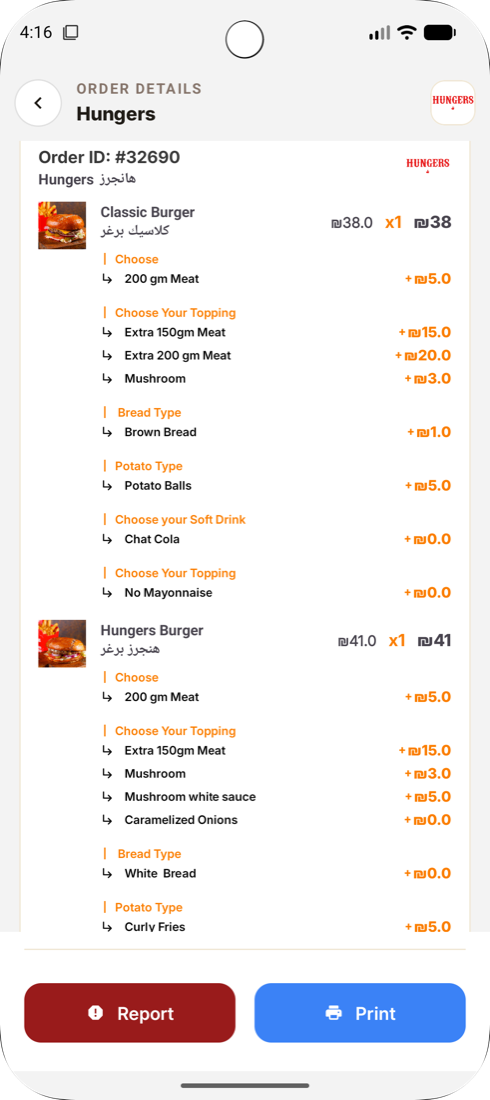
Every accepted order prints on the thermal receipt printer, with items, options and notes, through a queue that survives a paper jam.
Runs on POS hardware
Works on Android POS terminals with a built-in printer, as well as any phone or tablet, so one device can be the order screen and the point of sale.
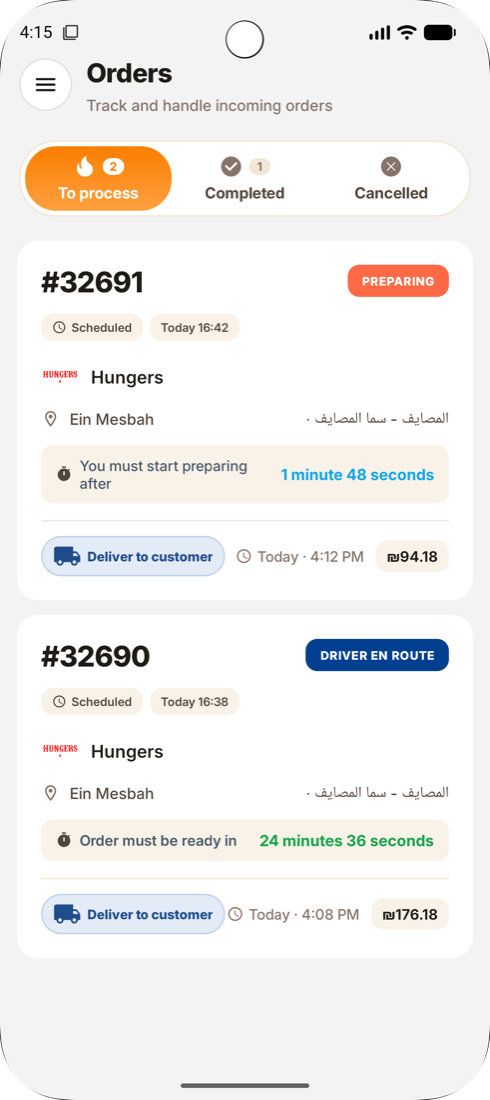
To process, completed, cancelled
Three tabs keep the counter calm: what needs attention now, what is done, what was cancelled, each with the countdown that matters.
Scheduled orders, in view
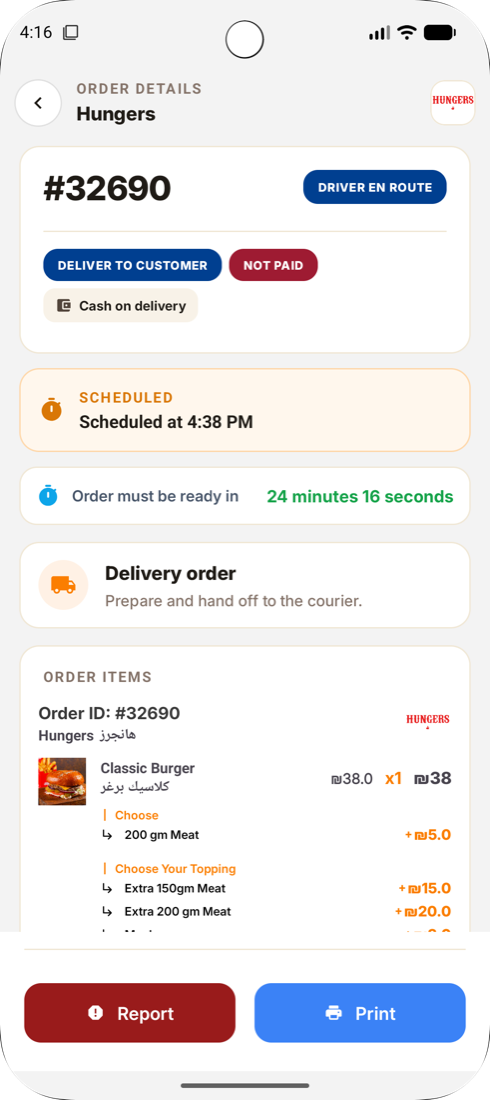
Orders placed for later sit in the list with their time and a reminder of when preparation must start.
Delivery or pickup, paid or not
Each order says whether a rider is coming or the customer is, and whether it is paid by card or cash on delivery.
Order history
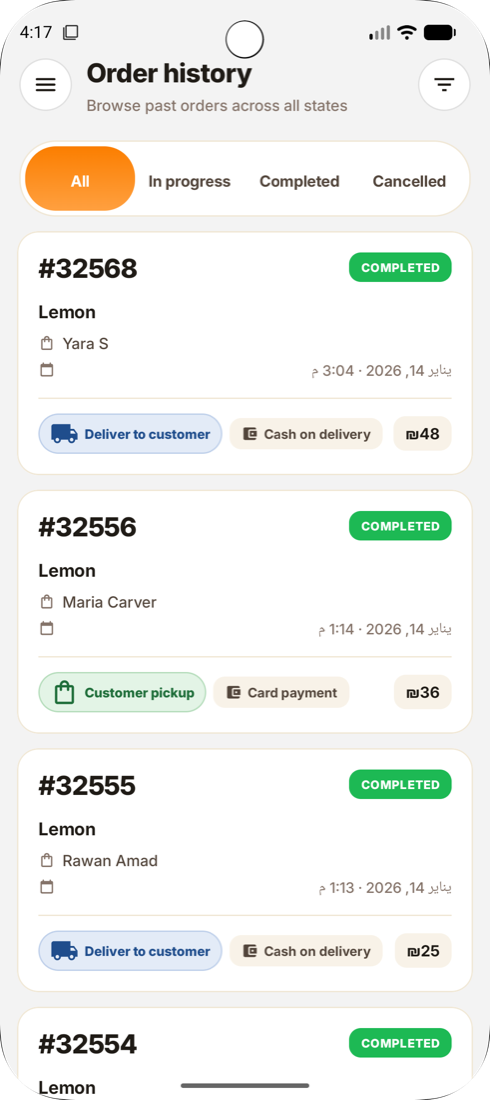
Every past order with its status, items and payment, searchable by day and state.
Request a rider
Ask for a rider for an order that needs one, straight from the app.
Sound and printer settings
Choose the alert sound, test the printer, and set how many copies each ticket prints, all from the settings screen.
Menu on hand
Staff can see products and mark what is not available today without calling anyone.
Report a problem
One tap to flag an order with a wrong item, a missing rider or a customer issue, straight to PalEat operations.
Installs from a link, updates itself
No app store. Partners install from a link and the app checks for its own updates.
Survives reboots and bad signal
Starts itself again after a restart and keeps orders on the device when the connection drops.
Arabic and English
Every screen in both languages, right-to-left included, on phone and tablet layouts.
The challenge
A missed order is a lost customer and an angry rider. The app has to be heard in a loud kitchen, survive a reboot, print without a computer, work on a cheap POS terminal, and be simple enough for new staff on their first day.
What we did
A native Android app with a service that listens all day, a full-screen alert over the lock screen, a print queue for thermal printers and an in-app updater. It runs on ordinary Android devices and on POS terminals with a printer built in. Orders are kept on the device so a dropped connection loses nothing. Arabic and English, phone and tablet.
The outcome
Partners across Palestine run on it. Orders reach the kitchen in seconds and print without anyone touching a computer.
Next screens
PalEat Operations →Have a product in mind?
Tell us the problem in a few lines. We'll tell you what it needs, what it costs, and how long it takes.